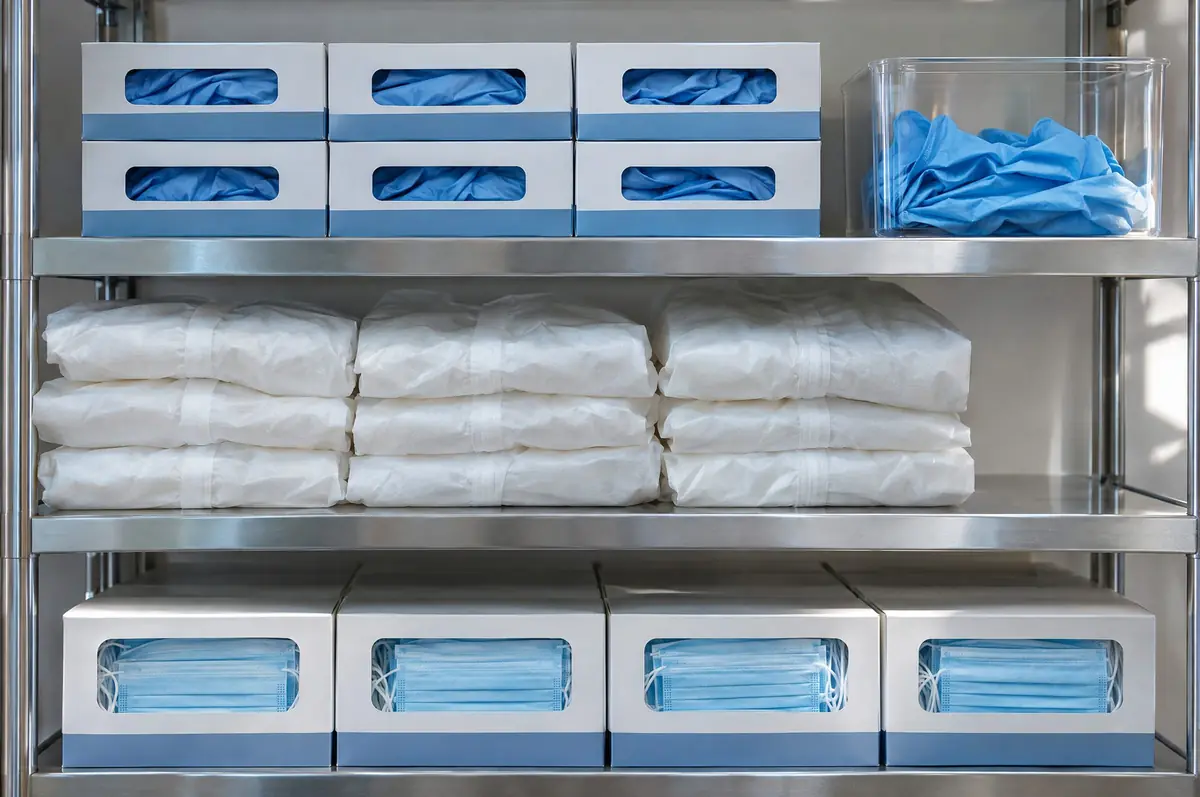

Quick answer: Open Health Canada's Medical Devices Active Licence Listing (MDALL), choose the active licence search, and search by licence number, company, device name or the catalogue number from the box. A valid result shows the licence name, number, device class and licence holder, and lists the device's catalogue number. MDALL covers Class II, III and IV devices only; Class I devices, such as medical masks, are not listed there.
What is MDALL?
MDALL is Health Canada's public database of licensed medical devices. Health Canada describes it as "a database of all licensed Class II, III, and IV medical devices offered for sale in Canada."
Two things are not in it:
- Class I devices. Health Canada states that Class I devices "do not appear in this listing." They are monitored through establishment licensing instead.
- Devices under Investigational Testing Authorization.
Health Canada adds: "We do not provide medical advice on the use of the products identified in this listing."
Why should a clinic check a licence?
Under Canada's Medical Devices Regulations, a Class II, III or IV device needs a medical device licence before it is sold. Health Canada's notice on medical gloves puts it plainly: "You cannot import or sell a Class II medical device unless the manufacturer has a medical device licence from Health Canada."
Checking is quick. It confirms the product in your hand is the product Health Canada licensed, and it gives you a record for your files.
How do I search MDALL, step by step?
Step 1. Collect the details from the box. Note the manufacturer, the device name and the catalogue or reference number. Some boxes also print the Health Canada licence number.
Step 2. Open MDALL. Go to https://health-products.canada.ca/mdall-limh/ and choose the Active Licence Search.
Step 3. Search. Health Canada lists these search options: "Company Name, Company ID, Licence Name, Licence Number, Device Name, Device Identifier." For the device identifier, Health Canada notes that "the catalogue number of the device is often selected for this purpose." A licence number search returns exact matches only.
Step 4. Read the result. Check the licence name, licence number, device class and licence holder (the manufacturer that holds the licence).
Step 5. Match the catalogue number. Open the licence and confirm your exact catalogue number appears in its list of device identifiers. One licence can cover a whole family of sizes.
Step 6. Save a record. Take a dated screenshot or note for your purchasing file.
What does a real result look like?
Here are three licences checked in MDALL's public data on November 22, 2026:
| Product | Licence number | Licence name in MDALL | Class | Licence holder | Catalogue numbers confirmed |
|---|---|---|---|---|---|
| 3M Tegaderm Transparent Film Dressing | 77881 | Tegaderm Transparent Film Dressing | II | 3M Deutschland GmbH, trading as "Health Care Business" | 1624W, 1626W |
| Sol-M Insulin Syringe | 72663 | Luer Lock/Luer Slip Syringes and Needles | II | Sol-Millennium Medical, Inc. | 161311564B, 163311564B, 1633151B |
| Swann-Morton surgical blades | 5606 | Swann-Morton Surgical Scalpel Blades | II | Swann Morton Limited | 0301 (No. 10 stainless), 0390 (No. 10R) |
Three lessons from these examples:
- The licence name may not match the product name. Sol-M insulin syringes sit under a licence named for luer syringes and needles. That is why matching the catalogue number matters.
- The licence holder may not be the brand on the box. Tegaderm's licence is held by a 3M company in Germany.
- One licence can cover hundreds of items. Swann-Morton's licence lists more than 250 current device identifiers.
What if I cannot find the device?
Work through these checks:
- Try the catalogue number with and without suffixes. For example, MDALL lists both 1624W and 1624WNS under the Tegaderm licence.
- Check whether it is a Class I device. Medical masks, for example, "are regulated by Health Canada as Class I medical devices" and need no device licence, so they will not appear.
- Check the archived search. MDALL has a separate licence history search. Health Canada notes that "products that are no longer authorized for sale in Canada are listed in red and with an asterisk."
- Ask your supplier for the licence number. A reputable distributor should be able to give it to you.
How do I check a Class I device?
Class I devices are covered through the Medical Device Establishment Licence (MDEL) held by the companies that import or distribute them. Health Canada's MDEL listing shows the establishment's licence number, company, address, authorized activities and class of devices.
Two limits are worth knowing. Health Canada states that it "does not maintain a list of products ... under an MDEL," and that "the MDEL does not constitute approval of any specific medical devices." An MDEL confirms the company, not the product.
MDEL listing: https://health-products.canada.ca/mdel-leim/
What about drugs and natural health products?
MDALL covers devices only. Antiseptics such as chlorhexidine gluconate carry a Drug Identification Number (DIN), which you check in Health Canada's Drug Product Database. Natural health products carry a Natural Product Number (NPN). See our skin preparation guide.
Questions clinics ask
Is every medical device in MDALL?
No. MDALL lists licensed Class II, III and IV devices. Class I devices are not listed.
Are medical gloves in MDALL?
They should be. Health Canada classes all medical gloves as Class II devices.
Are medical masks in MDALL?
No. Medical masks are Class I devices, so they are not listed. Check the importer's or distributor's MDEL.
What does red text with an asterisk mean?
In the archived search, it marks products no longer authorized for sale in Canada.
The licence name is different from the product name. Is that a problem?
Not by itself. Licences often cover families of devices under a broader name. Confirm the catalogue number appears under the licence.
Does Health Canada offer the data in bulk?
Yes. Health Canada publishes an MDALL application programming interface (API) for developers, which returns licences, companies and device identifiers.
Sources
- Health Canada. Medical Devices Active Licence Listing (MDALL) (modified 2016-06-24). canada.ca
- Health Canada. MDALL search portal (modified 2019-03-01). health-products.canada.ca
- Health Canada. MDALL API guide. health-products.canada.ca
- Health Canada. MDALL API records for licences 77881, 72663 and 5606, retrieved 2026-11-22. health-products.canada.ca
- Health Canada. Medical Devices Establishment Licence (MDEL) Listing (modified 2021-03-30). health-products.canada.ca
- Health Canada. Notice: Medical gloves. canada.ca
- Health Canada. Medical masks and respirators: information for manufacturers (modified 2025-06-26). canada.ca
- Health Canada. Drug Product Database. health-products.canada.ca